


























Generate Choose Name Of The Vegetables

Generate Choose Name Of The Vegetables Copied!
1.
  • Bottle Gourd
  • Beetroot
  • Lady Finger
  • Broccoli
2.
  • Beetroot
  • Tomato
  • Brinjal
  • Cucumber
3.
  • Beetroot
  • Carrot
  • Potato
  • Capsicum
4.
  • Carrot
  • Beetroot
  • Bitter Gourd
  • Ginger
5.
  • Cabbage
  • Carrot
  • Spinach
  • Corn
6.
  • Lady Finger
  • Green Beans
  • Carrot
  • Capsicum
7.
  • Ginger
  • Ridge Gourd
  • Plantain
  • Cabbage
8.
  • Onion
  • Corn
  • Broccoli
  • Green Beans
9.
  • Cauliflower
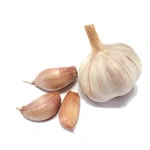
  • Garlic
  • Radish
  • Plantain
10.
  • Peas
  • Chili
  • Cauliflower
  • Mushroom
11.
  • Brinjal
  • Mushroom
  • Ginger
  • Cauliflower
12.
  • Spinach
  • Mushroom
  • Brinjal
  • Broccoli
13.
  • Tomato
  • Bottle Gourd
  • Spinach
  • Pumpkin
14.
  • Green Beans
  • Tomato
  • Beetroot
  • Carrot
15.
  • Garlic
  • Cauliflower
  • Pumpkin
  • Plantain
16.
  • Bottle Gourd
  • Broccoli
  • Capsicum
  • Carrot
17.
  • Beetroot
  • Spinach
  • Bitter Gourd
  • Peas
18.
  • Peas
  • Bottle Gourd
  • Ginger
  • Potato
19.
  • Plantain
  • Ridge Gourd
  • Tomato
  • Potato
20.
  • Radish
  • Bitter Gourd
  • Brinjal
  • Peas
21.
  • Potato
  • Green Beans
  • Capsicum
  • Beetroot
22.
  • Cucumber
  • Cabbage
  • Brinjal
  • Mushroom
23.
  • Garlic
  • Green Beans
  • Chili
  • Carrot
24.
  • Cabbage
  • Radish
  • Mushroom
  • Plantain
25.
  • Cabbage
  • Broccoli
  • Plantain
  • Bottle Gourd
26.
  • Brinjal
  • Potato
  • Sweet Potato
  • Corn
27.
  • Tomato
  • Spinach
  • Garlic
  • Mushroom
28.
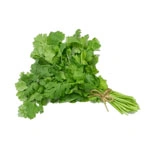
  • Coriander
  • Ginger
  • Cauliflower
  • Radish

What is Generate Choose The Name Of The Vegetables?

The Generate Choose The Name Of The Vegetables is a dedicated online tool designed to help you quickly and accurately solve problems or generate exercises related to this topic. Whether you are a student, teacher, or just looking to practice your skills, this tool provides an easy-to-use interface for learning and calculation.

How to use the Generate Choose The Name Of The Vegetables

Using this tool is simple and intuitive. Just enter the required values or select the options in the input fields provided above. Once you've inputted your data, click the submit or generate button. The tool will instantly process your request and display the detailed results, often with step-by-step explanations or generated activities to help you understand the concept better.

Features and Benefits

  • Fast and Accurate: Get instant results and generated exercises without manual errors.
  • Enhance Learning: Great for practice and understanding core concepts step-by-step.
  • User-Friendly Interface: A clean and simple design makes it accessible for users of all ages.
  • Free to Use: Access all features anytime without any cost.